
Iraqi Driver Controls
Steer cleaner on Baghdad streets—keyboard, touch, and camera tips.
Why controls matter more than horsepower
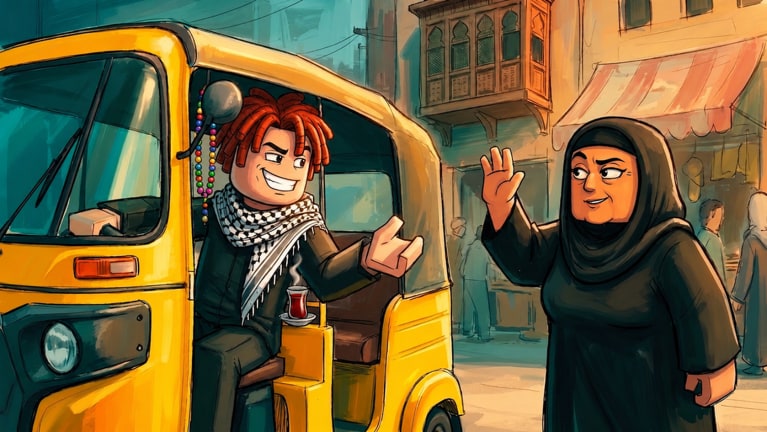
In Iraqi Driver (Beta), the highest-tier flex tuk-tuk still loses Dinars if you cannot corner, stop on markers, or recover from bumps. HopeStudios built a street fantasy, not a pure arcade racer: passenger comfort (and your patience) depends on smooth inputs. Master this page before dumping Robux into Vehicles.
If you have not finished a single fare yet, skim Getting Started first, then return here to polish.
Default PC / keyboard patterns
Roblox vehicle defaults usually map like this (confirm in Esc → settings if remapped):
| Action | Common binding |
|---|---|
| Accelerate | W / Up arrow |
| Brake / reverse | S / Down arrow |
| Steer | A/D or Left/Right |
| Camera | Right mouse drag / mouse move |
| Zoom | Scroll wheel |
| Exit / interact | E or on-screen prompt |
| Shift lock (optional) | Shift lock toggle in Roblox menu |
Treat these as a baseline. Beta UIs sometimes add horn keys, lights, or seat prompts—check on-screen hints after updates listed on Updates.
Mobile / touch tips
Many Iraqi Driver sessions happen on phones. Improve touch driving by:
- Enabling a comfortable thumb layout in Roblox movement settings.
- Using lighter steering arcs—tuk-tuks punish full-stick flicks.
- Zooming the camera out slightly so curb and passenger pins stay visible.
- Pausing acceleration before sharp alley turns.
- Playing on Wi-Fi when possible; input delay feels like bad handling.
If the virtual joystick covers a critical HUD button (shop, codes, job), customize opacity/position in Roblox accessibility options.
Camera discipline
Baghdad traffic reads better with a slightly elevated, rear-follow camera:
- Keep destinations in view before committing to a lane
- Avoid first-person until you know the block
- Recenter after collisions so you do not reverse blind
- On crowded 50-player servers, watch for player models stepping into roads
Good cameras prevent the “I swear the pin moved” moments that waste fares.
Passenger interaction flow
- Roll to a gentle stop near the pickup indicator.
- Wait for the passenger to enter—do not creep forward early.
- Follow the route pin; prefer known wide streets while learning.
- Brake progressively into the drop-off zone.
- Hold position until payout registers, then accept the next job.
Detailed job strategy lives in Taxi Jobs. Controls simply make that loop possible.
Crash recovery checklist
| Situation | Control response |
|---|---|
| Nose in a wall | Full stop, reverse straight, then steer |
| Spinout | Release accelerate, countersteer lightly |
| Flipped / stuck | Use any reset/respawn vehicle option the Beta provides; avoid forcing physics |
| Passenger abandoned mid-route | Recenter, return to pin, or cancel per UI rules |
| Lag spike | Coast; do not add steering spam |
Repeated crashes destroy both mood and Dinars/hour—see Earn Dinars.
Horns, paint, and “extra” controls
Gamepasses like Premium Horns, Custom Horn, and Car Paint Studio add expression, not alternate steering physics. Learn stock driving first; then bind or tap horn keys for roleplay without drifting into traffic.
Practice drills (10 minutes)
- Figure-eight in an open lot or wide avenue—smooth throttle only.
- Precision stops on five sidewalk markers.
- Reverse parking into a tight gap once.
- Night or busy server lap to test camera under stress.
- One perfect fare with zero collisions—reset the drill if you clip hard.
Complete the drills before judging a vehicle as “bad.” Many “underpowered” rides are just untamed inputs.
Accessibility and comfort
- Lower graphic quality if frame drops cause late braking
- Remap keys if WASD conflicts with chat language switching
- Take breaks; Beta sessions can stretch while chasing Full Week style badges
- Mute chaotic server audio if horns overwhelm focus
Related guides
- Getting Started — first-hour context
- Taxi Jobs — apply clean control to fares
- Earn Dinars — convert skill into currency
- Guides Hub — full list
- Players Hub — progression after mastery
Clean inputs are free power. In a Beta with tuk-tuks, tea-cup supporters, and crowded Baghdad nights, the driver who brakes early banks more than the driver who buys pink paint first.
Frequently Asked Questions
Quick answers to the most common Iraqi Driver questions.
Can I remap Iraqi Driver controls?
Use Roblox settings for movement and camera where available. Some experience-specific buttons stay on the HUD.
Why does my tuk-tuk feel slippery?
Usually excess speed into turns or camera lag. Slow earlier and practice the figure-eight drill before blaming the chassis.
Do gamepasses change steering?
Multiplier and cosmetic passes do not replace learning stock controls. Vehicle bodies can feel different—test each one.
Is mobile play viable?
Yes. Many players drive on touch. Reduce graphic load and avoid oversteering for best results.
What if a patch changes keybinds?
Recheck in-game prompts and the Updates Hub. This guide tracks common Roblox vehicle patterns plus Beta notes.